National Chiropractic Health Month runs from October 1 to 31, and the simplest place to mark it is where patients already search: Google Business Profile posts, one a week. Google says posts appear on your profile in Search and Maps, so a patient comparing clinics this month can see your latest one before they call.
We are ChiroVant: 183 films built for chiropractic clinics so far. Posts are one piece of your clinic's presence on Google, and our guide to SEO for chiropractors covers the rest.
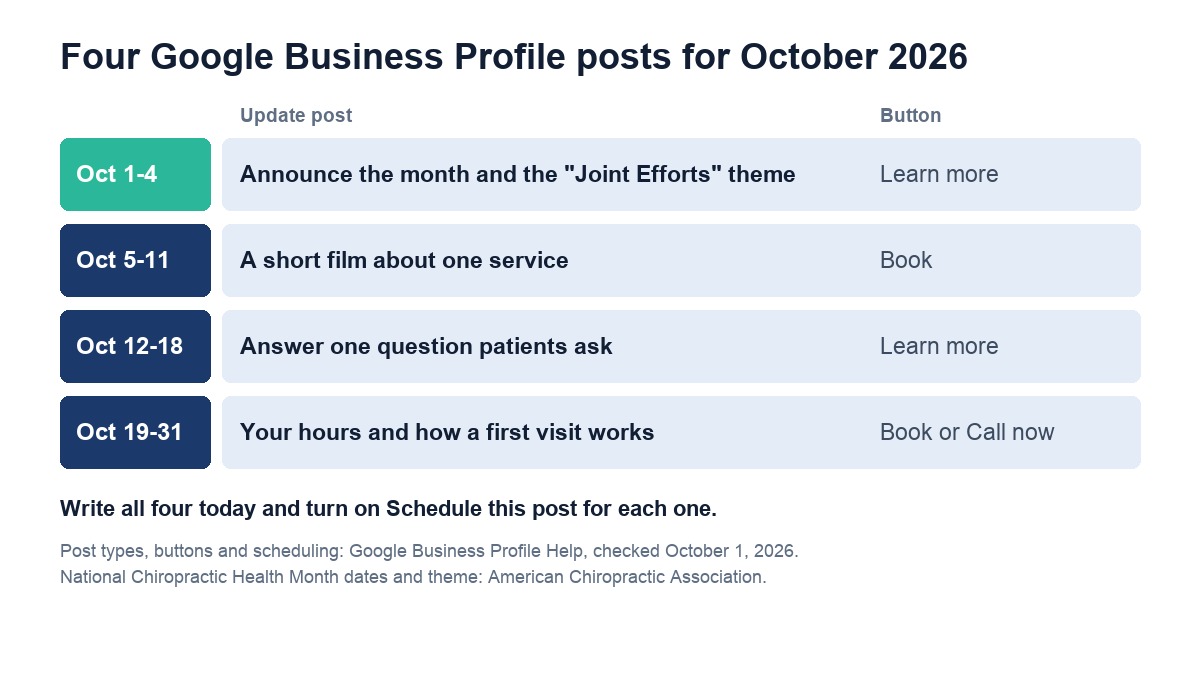
Table of Contents
- → What Are Google Business Profile Posts, and Where Do Patients See Them?
- → What Should a Chiropractor Post on Google in October?
- → Which Google Business Profile Posts Get Rejected?
- → Can You Add a Video to Google Business Profile Posts?
- → How Would ChiroVant Fit Into Your Google Business Profile Posts?
What Are Google Business Profile Posts, and Where Do Patients See Them?
They are short updates you publish from your Business Profile, with text, a photo or a video, and usually a button. Google's help page says they show in the Updates or Overview tabs of your profile on mobile, in Search and Maps, and in the "From the owner" section on a computer.
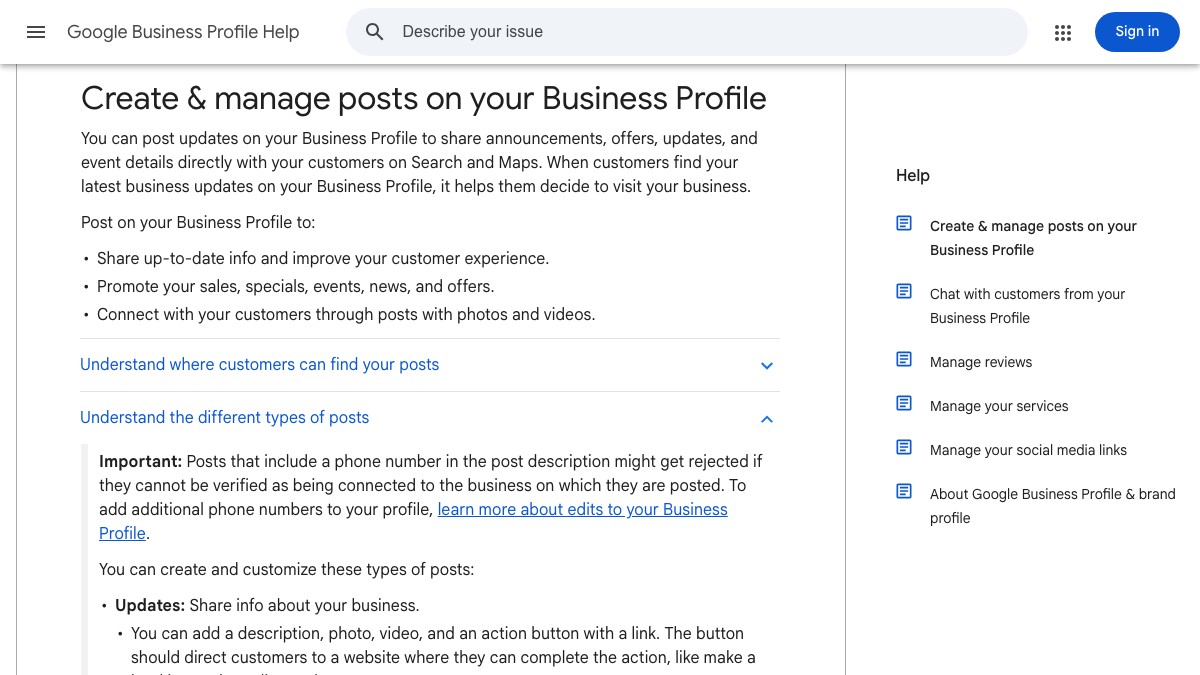
Google offers three types, described on its Create and manage posts help page, checked on October 1, 2026:
- Update: a description, a photo or video, and an action button with a link, such as Book or Learn more. This is the one most clinics need.
- Offer: needs a title, dates and times, and adds a View Offer button automatically. Use it only for a real offer your state's advertising rules allow.
- Event: needs a title and start and end dates. Without times, Google shows the event as lasting all day on each date.
Google's tips to improve your local ranking, checked on October 1, 2026, name verifying your profile, keeping details such as hours and category complete and accurate, replying to reviews, and adding photos and videos. Posts are not on that list, so treat them as what a patient reads before calling, not as a shortcut up the map. The setup side is in our local SEO playbook for "chiropractor near me".
What Should a Chiropractor Post on Google in October?
One Update a week, each tied to National Chiropractic Health Month. The American Chiropractic Association's 2026 theme is "Joint Efforts." Week one announces the month, week two shows a short video about one service, week three answers a question patients ask, and week four reminds people how to book before the month ends.
- October 1 to 4, the announcement. Post the month and the theme from the ACA's theme announcement, with a photo taken in your own clinic, such as your team at the front desk, as the image. Button: Learn more, to your site.
- October 5 to 11, one service on video. A clip of 30 seconds or less about the service you most want booked, shot on a phone in your clinic, with a Book button.
- October 12 to 18, one patient question. Answer a question your front desk hears every week, such as where to park or whether you see walk-ins, in three or four sentences. If you hold an event at the clinic around World Spine Day on October 16, use an Event post for it instead.
- October 19 to 31, how to book. Your hours, how a first visit works, and a Book or Call now button.
You can write all four today and turn on Schedule this post for each one, so October is covered before your week gets busy. For your social pages, our National Chiropractic Health Month social media plan covers the same weeks with its own topics.
Want us to do this for your clinic?
Want that service on your social pages too? Get a quote: tell us about your clinic and the services you want on video, and we send a clear monthly price within one business day. No obligation, no contract.
Get a quote →Which Google Business Profile Posts Get Rejected?
Posts that break Google's content policy. The rule to check first: Google's posts policy says it may remove posts with a phone number, email or social handle it cannot verify, and suggests a Call now button instead, which uses the phone number already verified on your profile. Google also reviews each post after you publish it.
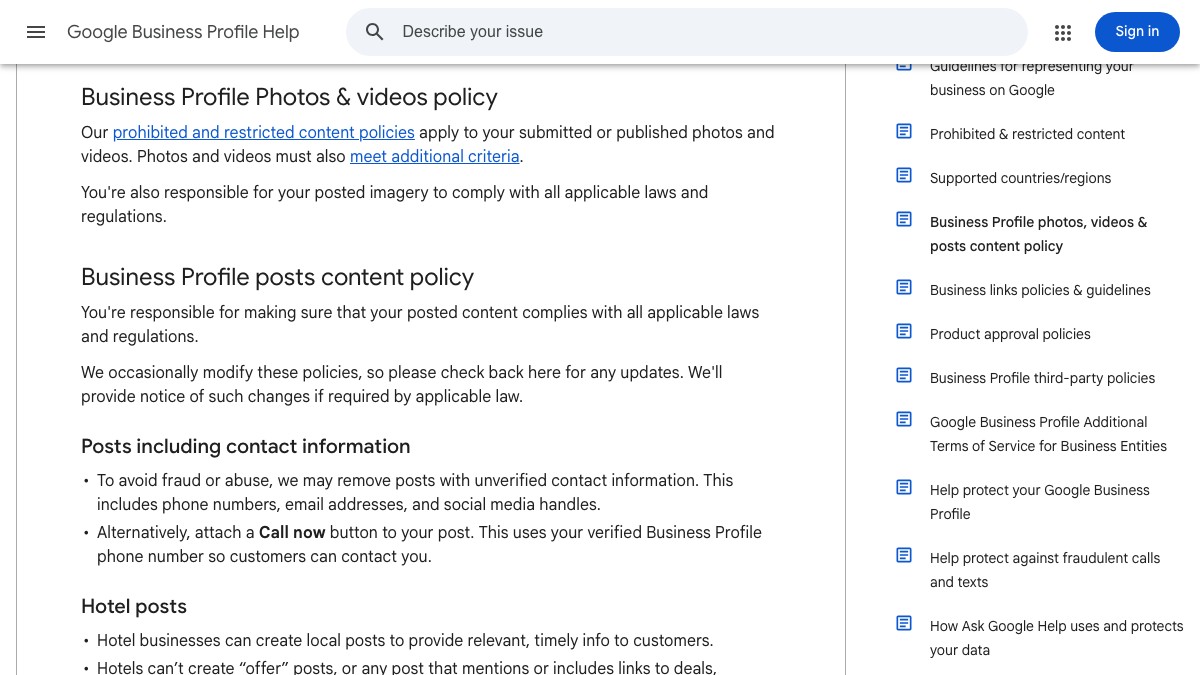
The contact rule comes from Google's photos, videos and posts content policy. Three more points come from its posts help page, checked on October 1, 2026:
- Health and medical devices are a regulated category. Google says you can still post, but leave out content about the products themselves, so write about the visit and the service rather than a device.
- Keep it professional. Google asks you to avoid misspelled words, extra characters, text that adds no value, and auto-generated or distracting content, so write the way your front desk talks rather than stacking keywords.
- Old posts get archived. Posts older than six months are archived unless a date range is set, which is one more reason to post every week.
After you publish, the status shows as Live, Pending or Not approved. A Not approved post has a question mark beside it that names the policy it broke, so fix that line and post again. Reviews sit right next to your posts on the profile, and our guide to Google reviews for chiropractors covers asking for them and replying.
Can You Add a Video to Google Business Profile Posts?
Yes. Google's help page says an Update can include a description, a photo, a video and an action button. Google's separate photos and videos guidelines ask for videos of up to 30 seconds, up to 75 MB and 720p or higher, so trim longer films before you post them, and keep the button pointing to your booking page.
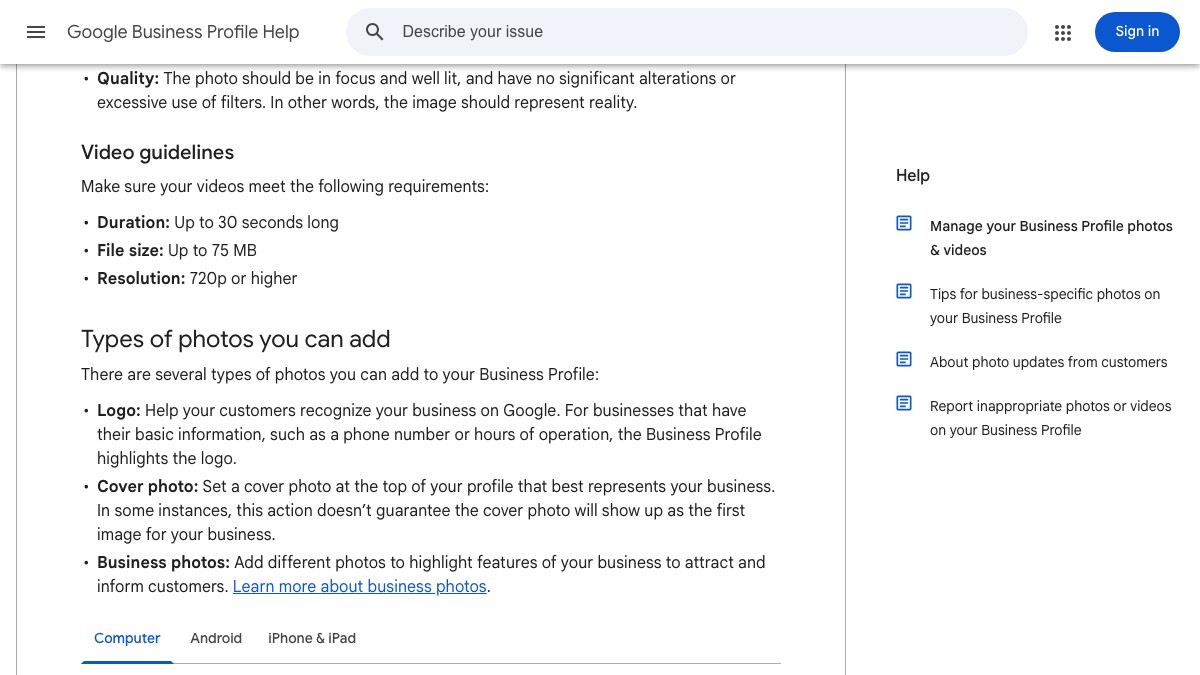
Photos have their own guidelines on Google's photos and videos help page, checked on October 1, 2026: JPG or PNG, between 10 KB and 5 MB, with 720 by 720 pixels recommended. Google also asks that photos represent reality, with no significant alterations or heavy filters, so photograph your own clinic and your own team rather than using stock pictures. Google's tips for posting media to Maps, which its posts policy links to, go further: use media you captured at the location, and avoid imagery created by other parties or added elements such as borders or text.
A short clip works in Google Business Profile posts for the same reason video works on social media: in a few seconds a patient learns about one service and how to reach you. If you need subjects, our list of chiropractic video ideas starts with the questions patients already ask.
How Would ChiroVant Fit Into Your Google Business Profile Posts?
Beside them, not inside them. Google's tips for media on Maps ask for photos and videos you captured at the location and advise against imagery created by other parties or with added text, so our captioned films belong on your social pages, and a clip or photo you take in the clinic suits a Google post.
Each film is built from your clinic's website, services and branding, with captions burned in one or two words at a time, and ends with your doctor named as the one to call. On Essential, you get four films a month and a posting calendar for your social pages, and you post them. Authority includes everything in our Growth pack and adds the search side: your Google Business profile kept active, review replies written for you, and two local articles a month on your site. The full details are on our packs page.
Want us to do this for your clinic?
Pick the service patients ask about most. Ask us for a quote and we will tell you what a monthly set of short captioned films about it would cost for your clinic, within one business day.
Get a quote →National Chiropractic Health Month runs to October 31. Write four updates today, schedule one for each week, and give every one a button that takes patients to your booking page or your phone.