YouTube Shorts for chiropractors are the same vertical videos you would post on Instagram and Facebook, uploaded to YouTube as well. YouTube's help pages say a Short can run up to 3 minutes in a square or vertical format, and you can upload and schedule Shorts from a computer in YouTube Studio.
We are ChiroVant, the team behind 183 films built for chiropractic clinics. If you later want to run a Short as a paid ad, our guide to chiropractic video ads covers that side.
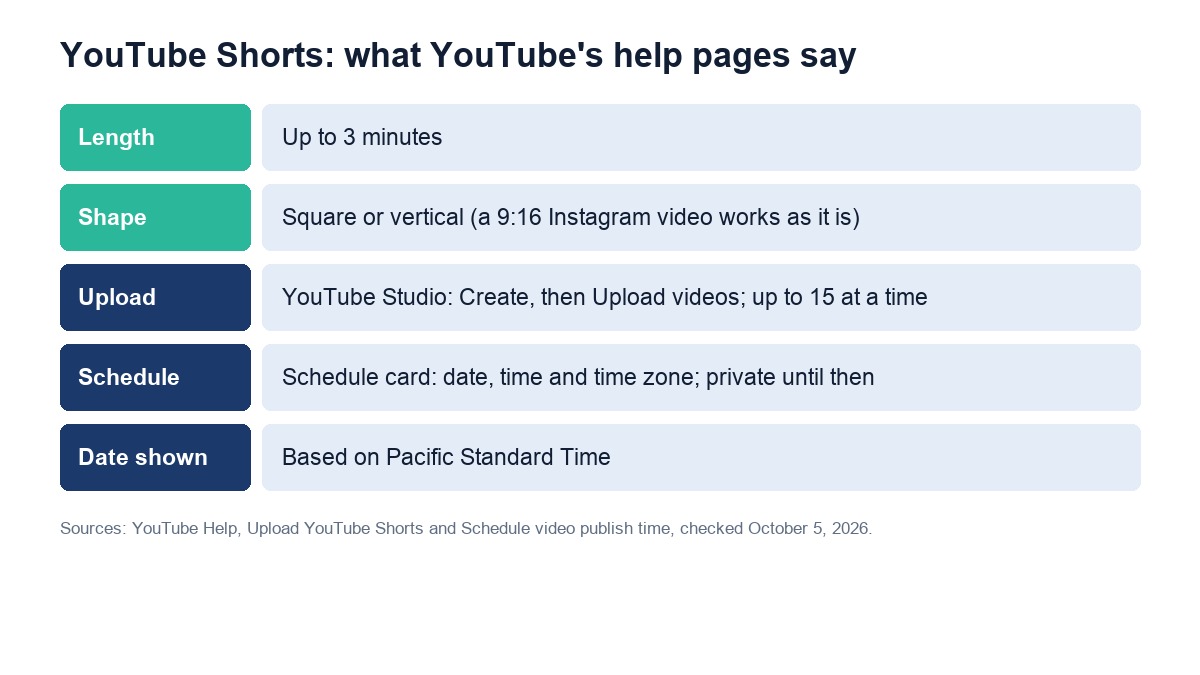
Table of Contents
Are YouTube Shorts for Chiropractors Worth the Time?
They are worth it if you already make short vertical videos, because the same file can go up on YouTube in a few minutes. YouTube Shorts for chiropractors cost no extra filming, just a new title and description. If you make no videos yet, start with a single video about your most-booked service.
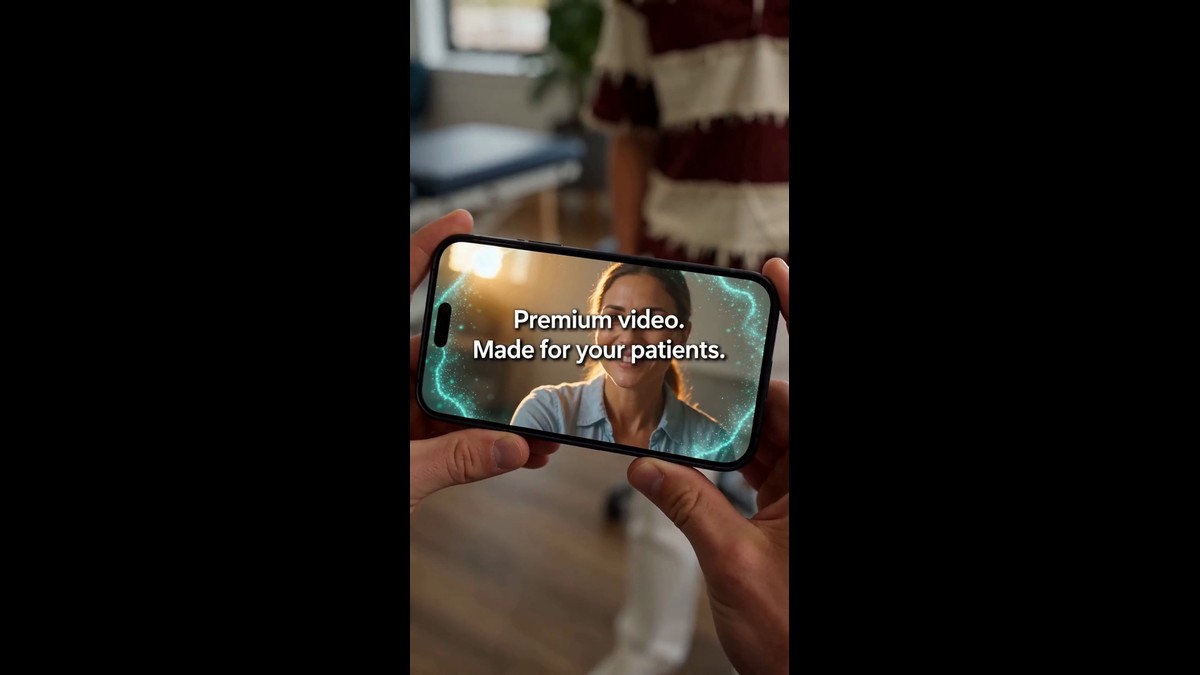
YouTube is also a search engine for video, so a Short that answers one question a patient asks, in your clinic's name, can be found later as well as on the day it goes up. Keep each Short to one subject: one service, one question or one thing a new patient should know before the first visit.
If you need subjects, our list of chiropractic video ideas starts with the questions patients already ask, and our guide to chiropractic patient education videos covers explaining a service without a sales pitch.
What Are YouTube's Rules for a Short?
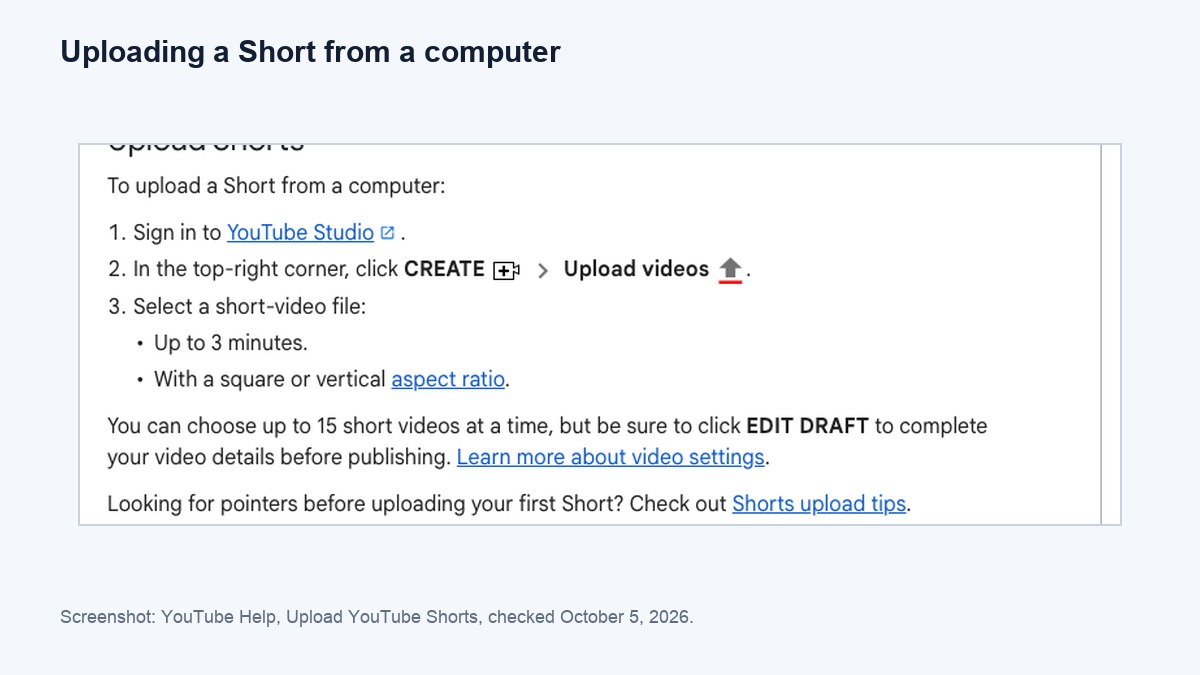
Length and shape. YouTube's help page on uploading Shorts from a computer, checked on October 5, 2026, says the file should be up to 3 minutes long, with a square or vertical aspect ratio. You upload it in YouTube Studio under Create, then Upload videos, and you can choose up to 15 short videos at a time.
- Length: up to 3 minutes. Shorter is easier to watch to the end.
- Shape: square or vertical. A 9:16 video made for Instagram or Facebook works as it is.
- Batches: up to 15 at a time, as YouTube's Upload YouTube Shorts help page says. Click Edit draft on each one to finish its title and description before it goes live.
With YouTube Shorts for chiropractors, write the title as the question the Short answers, then add your town, such as "What Happens at a First Chiropractic Visit? | Plano, TX". That tells someone searching that it is a local clinic. Our guide to keywords for chiropractors covers the words patients actually type.
How Do You Schedule YouTube Shorts for a Clinic Channel?
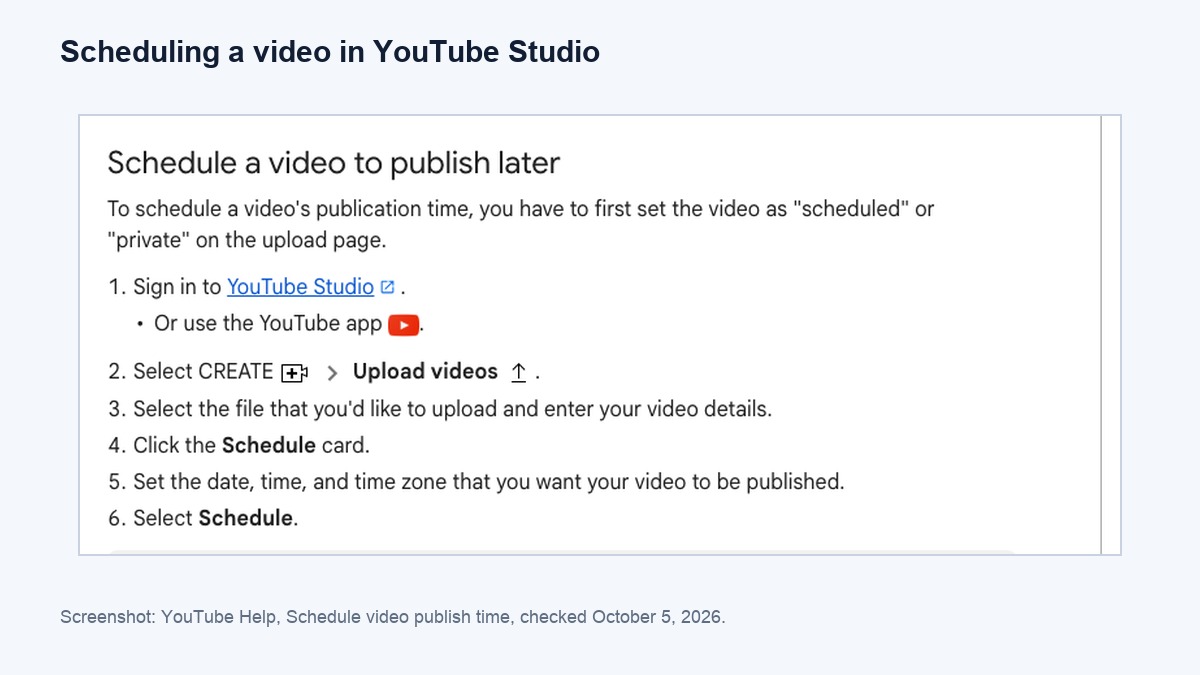
Upload them as a batch and give each one a date. YouTube's scheduling help page says you click the Schedule card, then set the date, time and time zone, and the video stays private until then. That lets one person load a month of Shorts in one sitting.
- Upload the batch in YouTube Studio, up to 15 at a time.
- Write each title and description, with your clinic's name, your town and one line on how to book.
- Open the Schedule card on each one and set the date, time and time zone.
- Check the dates. YouTube's scheduling help page says the date shown under a video is based on Pacific Standard Time, so a Short scheduled just after midnight in the East can show the previous day's date.
To change a date later, YouTube's page says to keep the video private, click Edit draft and choose the new time. Treat YouTube Shorts for chiropractors as a weekly habit: pick two fixed days, such as Tuesday and Thursday, and fill them every month. Our chiropractic social media calendar shows how to write and schedule a batch of posts in one sitting.
Want us to do this for your clinic?
Want Shorts made for your clinic? Get a quote: tell us about your clinic and the services you want on video, and we send a clear monthly price within one business day. No obligation, no contract.
Get a quote →What Should Chiropractors Leave Out of YouTube Shorts?
Health claims that go against public health guidance, music you have no rights to, and anyone who has not agreed to appear. YouTube's medical misinformation policy does not allow content that contradicts local health authority guidance on treatments for specific health conditions, and it applies to descriptions, comments and links as well as the video.
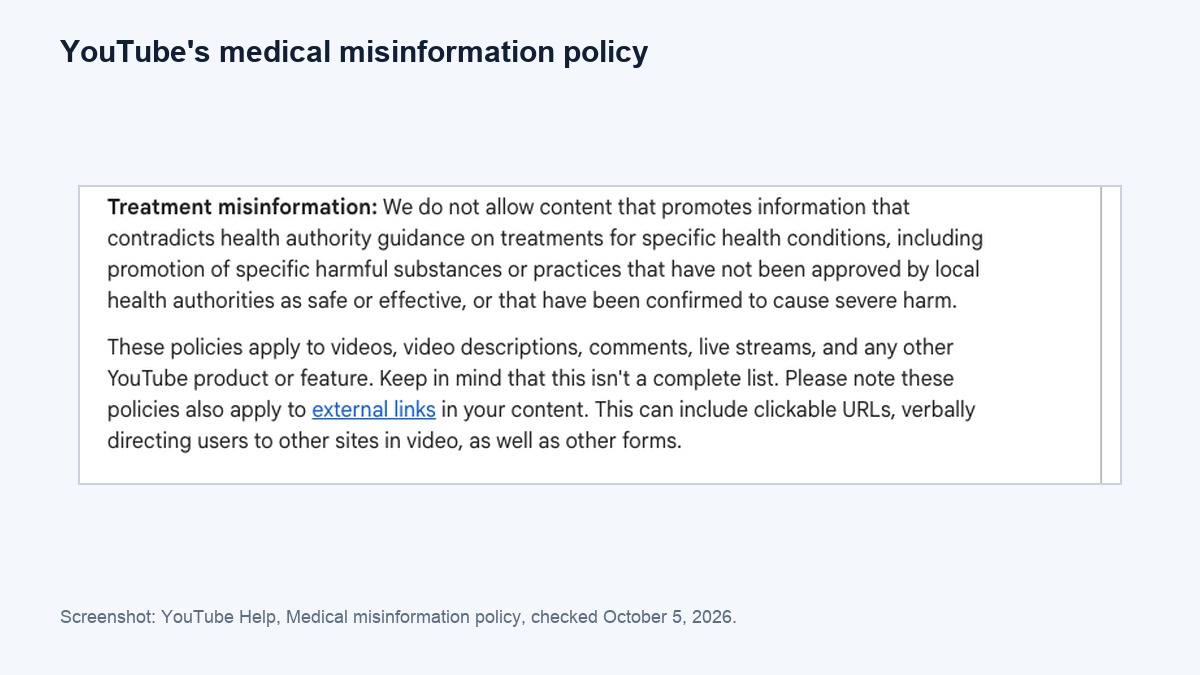
- No claims that go against health authority guidance. Describe the service and the visit, and never claim to cure anything. The full rules are in YouTube's medical misinformation policy, checked on October 5, 2026, which targets treatment claims that contradict health authority guidance.
- No unlicensed music. YouTube's upload page warns that copyright-protected material can lead to a Content ID claim, and a valid takedown notice can get the Short removed. Use music cleared for YouTube. YouTube's Create YouTube Shorts help page says you can use music from the Shorts Audio Library to avoid copyright claims.
- No one on camera who has not agreed, including a patient in the background.
- No promises of results. Check the wording against your state board's advertising rules before a Short goes out.
Useful YouTube Shorts for chiropractors name one service, describe the visit in plain words and end with your phone number or booking link.
How Would ChiroVant Fit Into Your YouTube Shorts?
With vertical films you can post as Shorts. Each film is built from your clinic's website, services and branding, with captions burned in one or two words at a time, and ends with your doctor named as the one to call. On Growth, we post your films on Instagram, Facebook, TikTok and YouTube once you have approved them.
On Essential, you get four films a month and a posting calendar, and you post them yourself, so YouTube is one more place to upload them. As our answers to clinic owners' questions put it, "The same file runs on Instagram Reels, TikTok, YouTube Shorts and Facebook." Every film carries your logo and details, and on all three packs you approve every script. The full details are on our packs page.
Want us to do this for your clinic?
Pick the service patients ask about most. Ask us for a quote and we will tell you what a monthly set of short captioned films about it would cost for your clinic, within one business day.
Get a quote →Open YouTube Studio this week, upload the vertical videos you already have, and schedule them across the month.